
Nov 9th 2026 — Flying Vape
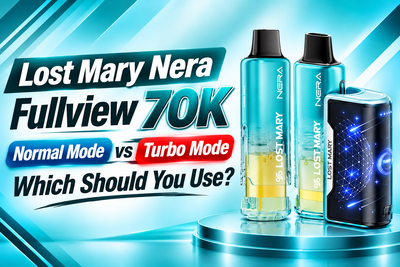
The Lost Mary Nera Fullview 70K gives users two ways to vape: Normal Mode and Turbo Mode. The difference isn't just a name. Each setting changes the intensity and vapor output, while also affecting how quickly e-liquid is consumed.
The Nera Fullview is also different from a traditional button-activated device. It's draw-activated, meaning you activate it simply by inhaling. The physical button is only used to switch between Normal and Turbo.
So, which mode should you use? Here's what you need to know.
For a complete overview of the device's features, specifications, and performance, read our Lost Mary Nera Fullview 70K review.
What Are the Two Modes?
The Nera Fullview 70K has two settings:
- Normal Mode: A smoother, more efficiency-focused experience with lower e-liquid consumption per puff.
- Turbo Mode: A stronger, warmer draw with increased vapor production and higher e-liquid consumption.
Neither mode is automatically better. The right choice depends on whether you prioritize efficiency or a more intense draw.
The Fullview display makes switching between them easy because it shows the active mode alongside the battery level, e-liquid level, and puff count.
Normal Mode
Normal Mode is designed for a smoother and more controlled experience. It doesn't push the device to its highest output, which means it uses less e-liquid per puff than Turbo Mode.
That's useful for everyday use, especially if you want to get more mileage from your pod.
Each Nera Fullview pod contains 12mL of e-liquid and has a rated capacity of up to 35,000 puffs. Since the kit comes with two pods, the total rated capacity is 70,000 puffs.
Normal Mode may suit you if you:
- Prefer a smoother draw
- Want to use less e-liquid per puff
- Want to stretch pod life
- Vape regularly throughout the day
- Don't need maximum vapor production
It's also a sensible setting to start with if you're new to the Nera Fullview. You can always move to Turbo later if you want more intensity.
Is Normal Mode More Efficient?
Yes. Because Normal Mode uses less e-liquid per puff, consistent use can help extend the life of a pod compared with using Turbo continuously.
However, the advertised 35,000-puff rating per pod is a maximum rating, not a promise that every user will get exactly that number. Draw length, frequency, and vaping habits all affect actual consumption.
Turbo Mode
Turbo Mode is designed for a stronger experience. It increases output, producing more vapor and a warmer, more intense draw than Normal Mode.
If Normal Mode feels too mild, Turbo gives you an easy way to increase the output without changing devices.
Turbo may appeal to users who:
- Prefer a stronger draw
- Want more vapor
- Like a warmer experience
- Find Normal Mode too restrained
- Want extra intensity occasionally
There is, however, a clear trade-off: Turbo uses more e-liquid per puff.
That means a pod can run out sooner when Turbo is used consistently. You're getting increased output, but you're also consuming more of the e-liquid available in the pod.
Normal vs Turbo — What's the Difference?
The easiest way to understand the two settings is to look at what each one prioritizes:
- Normal Mode prioritizes efficiency: Lower e-liquid consumption per puff makes it better suited to regular use.
- Turbo Mode prioritizes intensity: Higher output produces a stronger and warmer draw.
- Normal can help extend pod life: Less e-liquid is used with each puff.
- Turbo can shorten pod life: Increased output means higher e-liquid consumption.
- Normal produces a smoother experience: It's useful if you don't want maximum vapor.
- Turbo produces more vapor: It's designed for users who prefer a stronger draw.
In short, the choice comes down to efficiency versus intensity.
Does Turbo Use More E-Liquid Per Puff?
Yes. This is one of the most important differences between the two modes.
The Nera Fullview's 70,000-puff rating is based on two 12mL pods, with each pod rated for up to 35,000 puffs. But those figures don't mean every user will achieve exactly 35,000 puffs from each pod.
Someone taking short, occasional draws in Normal Mode will consume e-liquid differently from someone taking long, frequent draws in Turbo.
If you're trying to make each pod last as long as possible, Normal Mode is the more efficient option.
If your priority is stronger output, Turbo provides that experience but requires more e-liquid.
Does Turbo Use More Battery?
Higher output generally requires more power, so Turbo Mode can place greater demand on the rechargeable battery.
The Nera Fullview uses an 800mAh rechargeable battery and charges through USB-C. Unlike a sealed disposable, the battery base can be recharged and paired with compatible replacement pods.
The Fullview screen shows your battery percentage, so you can keep an eye on the charge level while using the device.
If you use Turbo frequently, you may notice the battery requires charging more often than it would with lighter use.
Which Mode Should You Start With?
For first-time users, Normal Mode is a straightforward place to start.
It gives you a smoother draw without immediately using the higher output of Turbo. You can see how the device feels and then switch modes if you want more vapor or intensity.
There's also no need to choose one mode permanently.
You might use Normal for regular sessions and switch to Turbo when you specifically want a stronger draw. Having both settings gives you flexibility instead of locking you into a single output level.
How Do You Switch Between Normal and Turbo?
The Nera Fullview doesn't use a traditional fire button.
It's draw-activated, so inhaling through the mouthpiece activates the device.
The physical button is used to change modes.
If you're unfamiliar with the device's controls, read our guide on how the Lost Mary Nera Fullview 70K works to understand its battery base, pod installation, and operation.
Remember it this way:
- Press the button → change the mode
- Inhale → activate the device
The Fullview display shows the currently active mode, making it easier to confirm your setting before taking a draw.
What Happens to the 70K Puff Rating?
The Nera Fullview gets its 70,000-puff rating from its two pods, with each pod rated for up to 35,000 puffs.
Actual performance can vary because puff ratings are affected by individual usage. Longer draws generally consume more e-liquid than shorter ones, and Turbo Mode uses more e-liquid per puff than Normal.
So don't treat 70,000 as a guaranteed number of identical draws.
Instead, think of it as the manufacturer's rated maximum under specific conditions.
Normal or Turbo — Which Fits Your Style?
Your choice is fairly simple.
Normal Mode makes more sense if you prioritize efficiency. It's smoother, uses less e-liquid per puff, and can help you get more use from each pod.
Turbo Mode makes more sense if you prioritize intensity. It delivers increased vapor and a stronger, warmer draw, but you'll use e-liquid faster.
The useful part is that you're not locked into either choice. You can switch between the two settings depending on what you want from the device.
Final Thoughts
The Lost Mary Nera Fullview 70K's Normal and Turbo modes are designed around two different priorities. Normal Mode focuses on smoother output and efficiency, while Turbo Mode focuses on stronger output and increased vapor.
If you want to stretch your pod life, Normal is the more efficient setting. If you want a more intense experience, Turbo gives you that option while consuming more e-liquid.
And remember: the Nera Fullview is draw-activated. The physical button changes the mode; it doesn't fire the device.
Shop the Lost Mary Nera Fullview 70K Kit at FlyingVape.com