
Sep 18th 2026 — Flying Vape
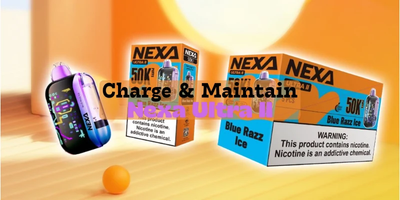
If you’re using the Nexa Ultra II, you’re already miles ahead of standard disposables. With 20 mL of e-liquid, a 900 mAh battery, dual mesh coils, a 3D curved screen, and up to 50,000 puffs, this device is built to outlast, outperform, and deliver seriously consistent flavor.
But here’s the catch:
How you charge and maintain your Nexa Ultra II directly affects its lifespan and puff count.
Want to reach the full 50,000 puffs in Normal Mode or maximize performance in Turbo Mode? A little bit of care goes a long way with Nexa Vapes.
In this guide, you’ll learn:
-
How to charge the Nexa Ultra II properly
-
How its battery and dual mesh coil system work
-
Easy maintenance tips to keep performance strong
-
How to know when to recharge or replace your device
Let’s get into it.
Why Proper Charging Matters for the Nexa Ultra II
The Nexa Ultra II isn’t a basic disposable. With features like
-
900 mAh rechargeable battery
-
Type-C charging port
-
Smart 3D curved screen battery display
-
Normal Mode & Turbo Mode
…it performs more like a compact smart device than a throwaway vape.
Just like your phone or earbuds, how you charge it affects battery health, flavor consistency, and puff efficiency.
Doing it right =
✔ Longer life
✔ Stronger flavor
✔ Maximum puff count
✔ Smoother performance
How to Charge Your Nexa Ultra II: Simple and Effective Steps
1. Use a Proper Type-C Power Source
The Nexa Ultra II charges best with:
-
A standard 5V wall adapter
-
A computer USB port
-
A car charger with normal output
Avoid fast chargers (20W, 30W, 45W, etc.)
They push too much power, which can stress the battery long-term.
2. Watch Your Charging Time
The Nexa Ultra II typically reaches full charge in 45–60 minutes thanks to its efficient battery system.
Once full, unplug it.
Overcharging won’t instantly kill the battery, but doing it frequently weakens its overall lifespan.
3. Check the 3D Curved Display
One of the best features of the Nexa Ultra II is its
⭐ 3D Curved Screen
Which shows:
-
Battery percentage
-
Puff count
-
Mode selection (Normal or Turbo)
If performance feels weak or the screen shows low battery, it’s time to charge.
Nexa Ultra II Battery Guide: What to Expect
The Ultra II uses a 900 mAh lithium-ion battery, designed for:
-
Long, consistent output
-
Stable power delivery
-
Efficient heating for dual mesh coils
How long does it last per charge?
-
Normal Mode: Up to 1–2 days of regular use
-
Turbo Mode: More power, bigger clouds, slightly shorter battery time
How long does it last overall?
The Nexa Ultra II is rated for:
-
Up to 50,000 puffs in Normal Mode
-
Up to 30,000 puffs in Turbo Mode
Real-life puff count varies based on:
-
Puff length
-
Mode selection
-
Battery habits
-
Chain vaping
-
Temperature conditions
With proper care, most users get 3–5+ weeks of use from a single device.
How to Maximize Puff Count on the Nexa Ultra II
1. Charge Before It Hits 0%
Letting lithium batteries drain completely shortens their lifespan.
Try recharging around 20–30%.
2. Use Normal Mode for Maximum Puffs
Turbo Mode delivers stronger hits—but uses more:
-
Battery
-
E-liquid
-
Coil power
Normal Mode is the most efficient for long-term use.
3. Keep the Device Clean
A little maintenance goes a long way:
-
Gently clean the charging port
-
Wipe airflow openings
-
Remove pocket lint buildup
Dust and debris can reduce airflow and charging efficiency.
4. Avoid Extreme Heat and Cold
Heat can damage battery cells, while cold affects performance.
Treat it like you'd treat your phone.
5. Avoid Chain Vaping
Dual mesh coils heat quickly. Hitting back-to-back can:
-
Stress the coil
-
Warm the battery
-
Increase e-liquid consumption
Give it a second between pulls for best performance.
Signs Your Nexa Ultra II Needs a Recharge
You’ll know it’s time to plug in when:
-
Battery icon drops low
-
Hits feel weak
-
The device takes longer to fire
-
The screen prompts you with low power
Signs It’s Time to Replace the Device
Because the Nexa Ultra II is non-refillable, once the e-liquid runs out, that’s it.
Time to replace when:
-
Flavor becomes burnt or faint
-
Puff count reaches zero
-
The battery is full but no vapor is produced
-
The device gets unusually warm
-
The screen shows empty e-liquid indicator (if supported)
Charging won’t restore performance once the e-liquid is empty.
Final Thoughts: Treat Your Nexa Ultra II Like a Smart Device
The Nexa Ultra II Vape may be disposable, but it’s designed with the technology and performance of a high-end pod system.
A little care—proper charging, simple cleaning, and mindful usage—can help you get:
-
Maximum puff count
-
Strong flavor from start to finish
-
Longer battery life
-
A smoother, more satisfying experience
Keep your routine simple, treat the device right, and the Nexa Ultra II disposable vape will give you everything it’s designed for—and more.