Most Selling Disposable Vapes 2026
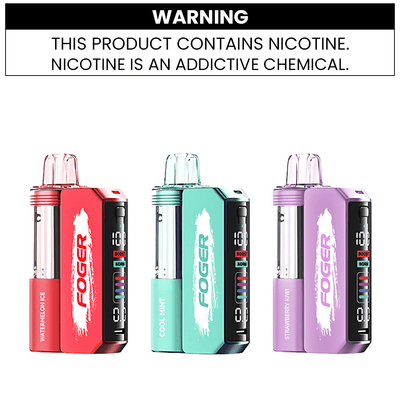



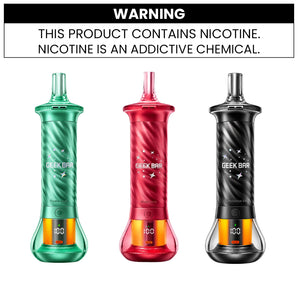
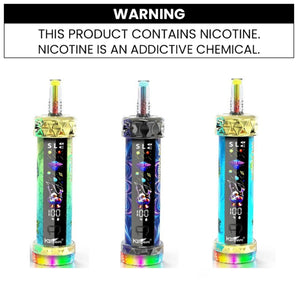
Just picked up your first Foger Switch Pro and not sure where to start? Don’t worry, we’ve all been there. The good news? You chose a great device. It’s simple, sleek, and beginner-friendly, which means getting started is easier than you think.
In this guide, I’ll walk you through everything, from setting up your vape to using it properly, keeping it clean, and handling common issues. Whether you’re brand new to vaping or just new to this device, I’ve got you covered.
Let’s dive in—one step at a time.
Before we get into setup, let’s talk about what the Foger Switch Pro actually is.
It’s a disposable vape but with a little more to offer. Unlike typical disposables, it gives you two vaping modes:
Regular Mode for smooth, mellow hits
Boost Mode for bigger clouds and stronger flavor
That’s it. No complicated buttons. No confusing setup. Just switch, inhale, and enjoy.
It’s designed for convenience, but that doesn’t mean it skimps on performance. You’re getting a premium experience without the hassle of refills, coil changes, or charging.
Unboxing a new vape can feel intimidating if you’ve never done it before. But with the Foger Switch Pro, setup takes less than a minute.
Here’s how to do it:
Remove it from the packaging.
Take off any plastic wrapping and check the mouthpiece and bottom. They’re usually covered with silicone plugs for protection. Just pop those off.
Find the toggle switch.
At the base of the vape, there’s a small sliding switch. This is where you control the airflow of your draw.
Inhale to activate.
That’s right, there are no buttons. Just bring the mouthpiece to your lips, take a slow inhale, and the device activates automatically.
That’s it. You’re ready to vape.
This is the most asked question about this device. The sliding switch at the bottom controls airflow, not vaping mode. It changes how much air flows through the device when you draw, which affects the feel of every hit.
Three positions:
| Switch Position | Airflow | Draw Feel | Best For |
|---|---|---|---|
| Fully Open → | Maximum | Loose, airy, direct-to-lung | Cloud chasers, DTL vapers |
| Middle | Moderate | Balanced flavor and vapor | Most users — start here |
| Fully Closed ← | Restricted | Tight, cigarette-like, MTL | Former smokers, flavor focus |
Start in the middle position. If your draw feels too airy, close it slightly. If it feels too tight, open it. There is no wrong setting — it is personal preference.
The Foger Switch Pro has no power button. It is draw-activated and fires automatically when you inhale.
Turning it on: Just inhale from the mouthpiece. The device activates on its own. The screen lights up during each puff to confirm it is working.
Turning it off: The device auto-sleeps after 10 seconds of inactivity. To manually disable it before putting it in your pocket or bag, simply detach the pod from the battery dock. With the pod removed, the device cannot fire even if something presses against the airflow sensor.
Tip: Always separate the pod from the dock when storing in a pocket. An auto-draw device will activate if something covers the air sensor, wasting battery and e-liquid.
The Foger Switch Pro’s dual-mode system is what makes it stand out. But if you’re unsure which to use, here’s a quick breakdown:
Best for beginners. It delivers a lighter, smoother hit that’s easy on the throat and preserves battery and e-liquid life.
Perfect if you’re craving something stronger. You’ll get thicker vapor and a more intense flavor hit.
You can switch modes anytime; just slide the toggle. Most people start with Regular Mode and work their way up as they get more comfortable.
Quick Comparison:
| Regular Mode | Boost Mode | |
|---|---|---|
| Puff Capacity | Up to 30,000 puffs | ~18,000 puffs |
| Vapor Density | Moderate | Dense, large clouds |
| Flavor Intensity | Smooth, mild | Rich, more intense |
| Battery Drain | Efficient | Higher drain |
| Best For | All-day use, beginners | Short sessions, cloud chasers |
How to switch: Press the mode button on the dock once while the pod is attached. The screen updates to show which mode is active. The device resets to Regular Mode each time you reconnect the pod.
The OLED screen on the dock shows:
The battery dock charges via USB-C. The pod charges automatically through the dock — you never charge the pod separately.
Note: The Foger Switch Pro supports pass-through charging, meaning you can vape while it is plugged in. Try to top up at 20–30% rather than fully draining — deep discharges shorten battery life over time.
Even with a user-friendly vape like this, a few good habits can help you get the best performance and flavor.
No need to inhale hard. A slow, steady draw (2–3 seconds) delivers better vapor and keeps the coil in good shape.
Chain vaping can overheat the coil. Give it 5–10 seconds between hits so it can cool down and maintain flavor.
When not in use, store your vape mouthpiece. This helps prevent leaking and keeps the airflow clean.
Check where the airflow holes are (usually near the base). Make sure your fingers don’t cover them while holding the device.
The Foger Switch Pro is built to go the distance, up to 30,000 puffs depending on how you use it.
Here’s what affects its lifespan:
Regular Mode uses less power and e-liquid, so it’ll last longer.
Boost Mode gives stronger hits but uses more juice and battery.
On average, most users get 10 to 20 days of use out of one device. You’ll know it’s nearing the end when:
Vapor production drops.
Flavor gets weaker.
The bottom light blinks when you inhale.
When that happens, it’s time to replace the device.
If your device freezes, shows an error code, or behaves unexpectedly, try these steps in order:
You might think, “It’s disposable; do I really need to take care of it?”
The short answer is yes. A little maintenance goes a long way in keeping your vape smooth and satisfying.
Treat it well, and it’ll treat you well.
Even simple devices can run into small problems. Here’s how to fix the most common ones:
Check if the airflow holes are blocked.
Try a slower, deeper puff.
Switch modes and see if that resets performance.
Let the device rest between puffs.
Stay in Regular Mode for a cooler vape.
If the taste stays burnt, the juice may be nearly empty.
Make sure it’s stored upright.
Wipe the mouthpiece regularly.
Avoid using it in very hot environments.
If you’ve tried everything and it’s still not working, the device may be at the end of its life.
Quick-Fix Reference:
| Problem | Most Likely Cause | Fix |
|---|---|---|
| Brand new device, no vapor | Transparent airflow sticker still on | Peel the clear sticker off the bottom airflow holes completely |
| Weak or thin vapor | Low battery or airflow too restricted | Charge the dock; open the airflow slider |
| Burnt or harsh taste | Coil not saturated or pod nearly empty | Let device sit 3–5 min after connecting pod; replace pod if it continues |
| LED blinking during draw | Battery critically low | Charge via USB-C before next session |
| Screen shows error "188" | Poor pod–dock connection | Detach pod, wipe magnetic contacts, reattach firmly |
| Draw feels too tight | Airflow slider too closed | Slide airflow control toward open position |
| Gurgling sound | Condensation in air sensor | Blow gently into the USB-C port (not mouthpiece) to clear the sensor |
The Foger Switch Pro 30K vape contains a built-in battery, so don’t toss it in the trash. Instead:
Check for local e-waste programs.
Ask your local vape shop if they accept used devices.
Look for battery recycling bins at electronics stores.
Being responsible with disposal is a small but important step, and most cities make it easy.
How do I turn off the Foger Switch Pro? There is no power button. It auto-sleeps after 10 seconds. To manually stop it from firing, detach the pod from the battery dock. With the pod removed the device cannot activate.
What does the switch on the bottom of the Foger vape do? It controls airflow, not power or mode. Open it for a loose airy draw. Close it for a tight cigarette-like draw. The middle position suits most users.
How do I reset the Foger Switch Pro? Detach the pod, wait 10 seconds, wipe the magnetic contacts with a dry cloth, and reattach. For persistent issues, fully drain the battery then charge to 100% uninterrupted.
Why is my Foger Switch Pro not hitting? Most common cause is a transparent protective sticker still covering the airflow holes on the bottom. Peel it off completely. If that's clear, check the pod is fully snapped on and the battery has charge.
What do the LED lights mean on the Foger vape? Green = above 60% battery. Amber = 30–60%. Solid red = below 30%, charge soon. Blinking red during a draw = critically low. A color change while plugged in = charging.
How long does the Foger Switch Pro take to charge? Around 45–60 minutes from low to full via USB-C. Disconnect once the lightning bolt icon disappears from the screen.
What is Boost Mode on the Foger Switch Pro? Boost Mode increases output for denser vapor and stronger flavor. It reduces capacity from around 30,000 puffs in Normal Mode to around 18,000 puffs. Toggle it with the mode button on the dock.
Do you need a battery to use the Foger Switch Pro? Yes. The pod requires the battery dock to function. The dock provides power via magnetic contacts. The pod has a small built-in cell that charges through the dock automatically.
How do I know when the pod needs replacing? When vapor drops noticeably, flavor becomes weak, or the bottom light blinks every time you inhale. Only the pod needs replacing — the battery dock is reusable.
The Foger Switch Pro by Foger Vape is one of those devices that makes vaping simple but still enjoyable. You don’t need to understand coils, settings, or wattage to use it. You just pick your mode, take a puff, and enjoy.
It’s perfect for beginners but powerful enough to satisfy experienced vapers too. And with just a little care, you’ll get the most out of every puff.
So whether you’re switching from smoking or just looking for a no-fuss device, the Foger Switch Pro is a solid place to start.
Find your favorite flavor or explore more options at FlyingVape.com.
Shop now for exclusive Foger Switch Pro deals, bundle offers, and fast delivery.
Read our detailed guideline about the Foger Switch Pro, its features, benefits, FAQs, and user reviews: Foger Switch Pro Disposable Vape Kit & Pod Review.
Your cart is currently empty.
Start Shopping